Mobile intercom

Ather Talk

An intercom keypanel on the phone your crew already carries. Listen and talk on party lines from your Ather Core, anywhere there's Wi-Fi or a cellular signal.

Get it on Google PlayDownload on the App Store
iPhone iOS 16+ Android 10+ English / Français
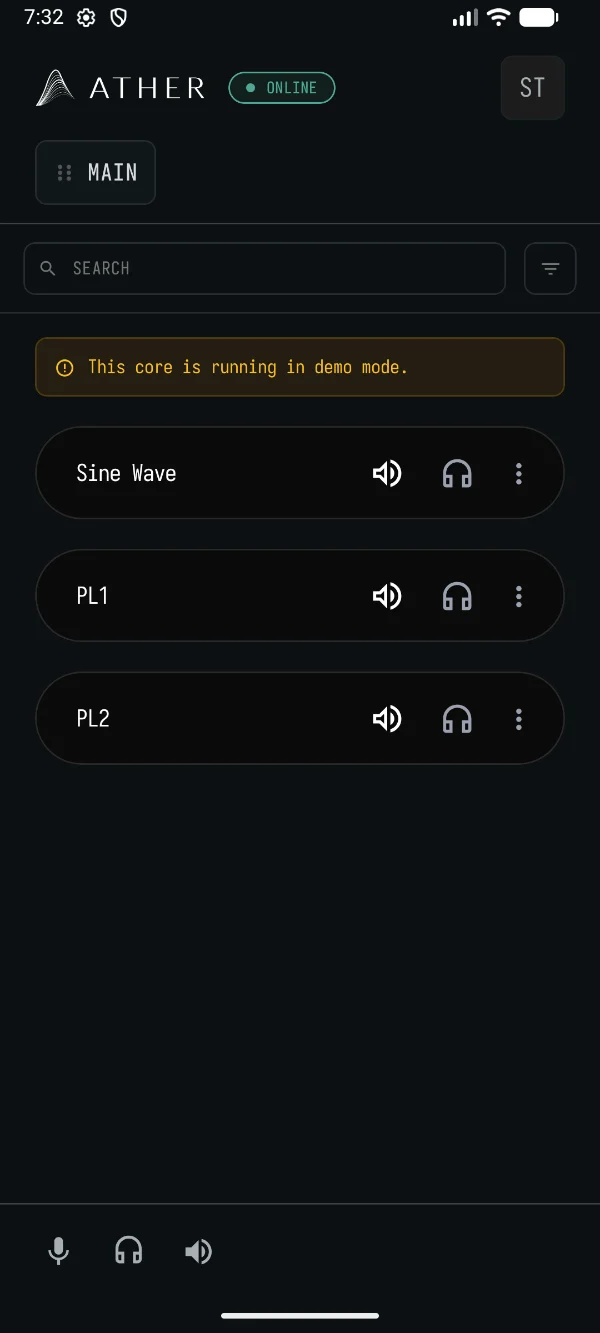
Ather Talk keypanel with party-line keys
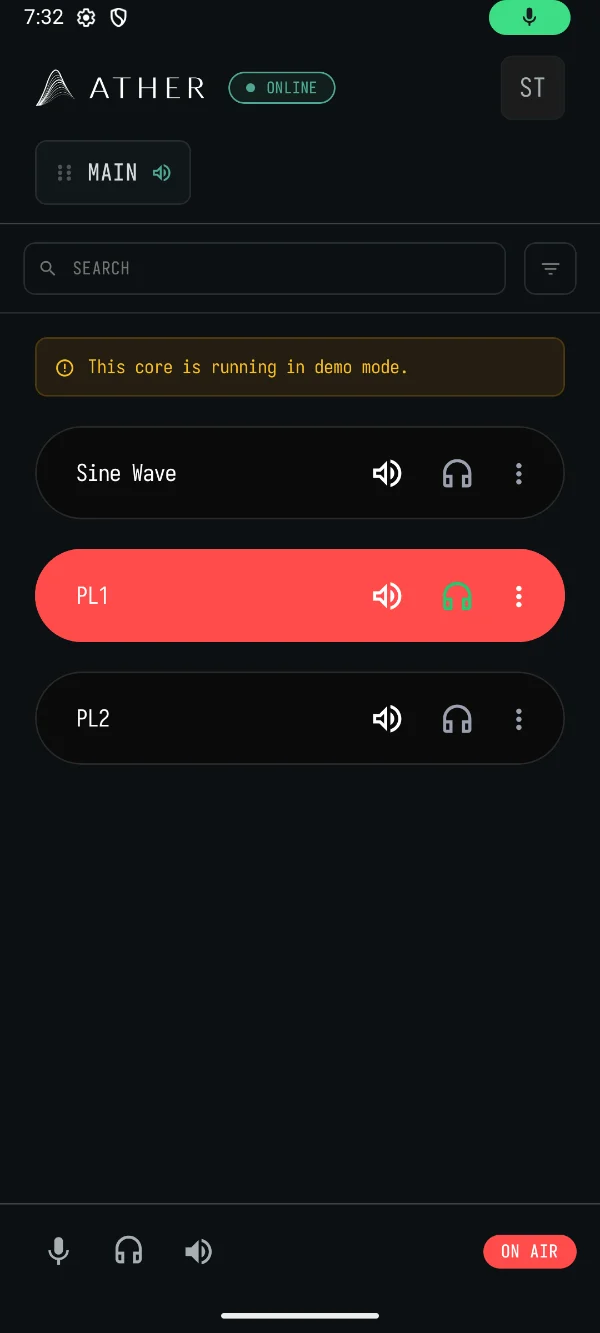
Talking on a party line with the ON AIR indicator lit
Features

Everything a crew member needs

Full-duplex comms that behave like a belt pack, with the convenience of a phone.

Keys

Party-line keys

Tap the headphones to listen. Tap a key to latch talk or hold it to talk while pressed. An ON AIR light shows when your mic is live.

Layout

Pages, search and pins

Lines are grouped into pages with a live-audio indicator. Search, filter by category, and pin the keys you use most.

Audio

Your mix, your way

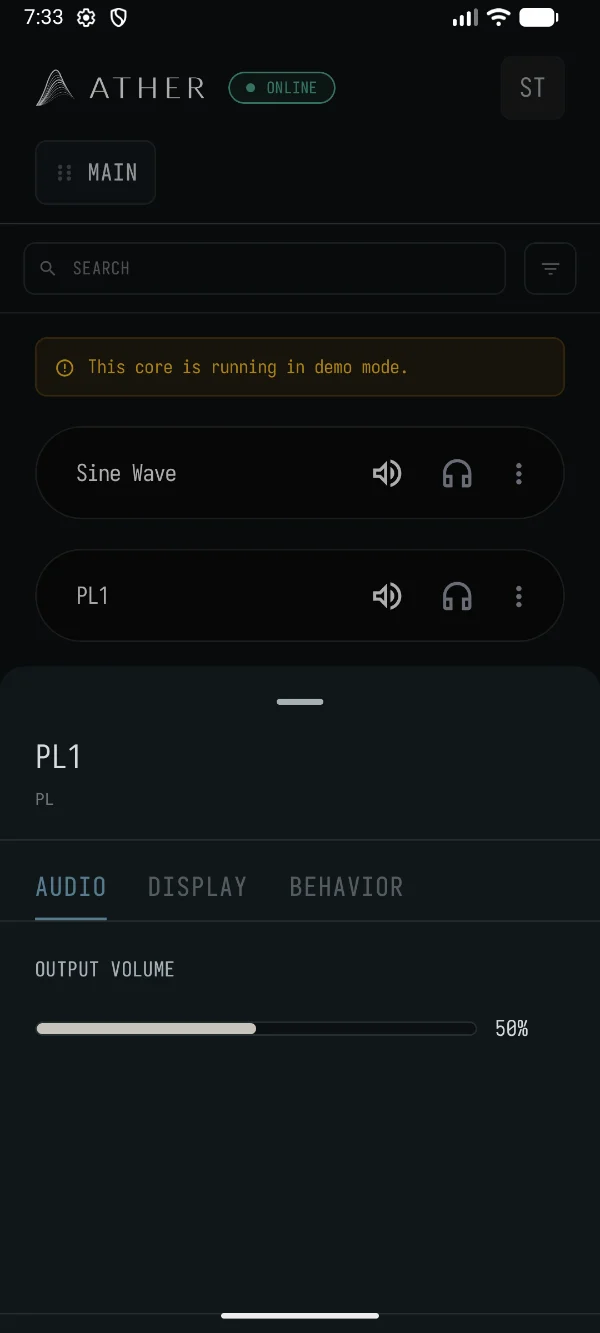
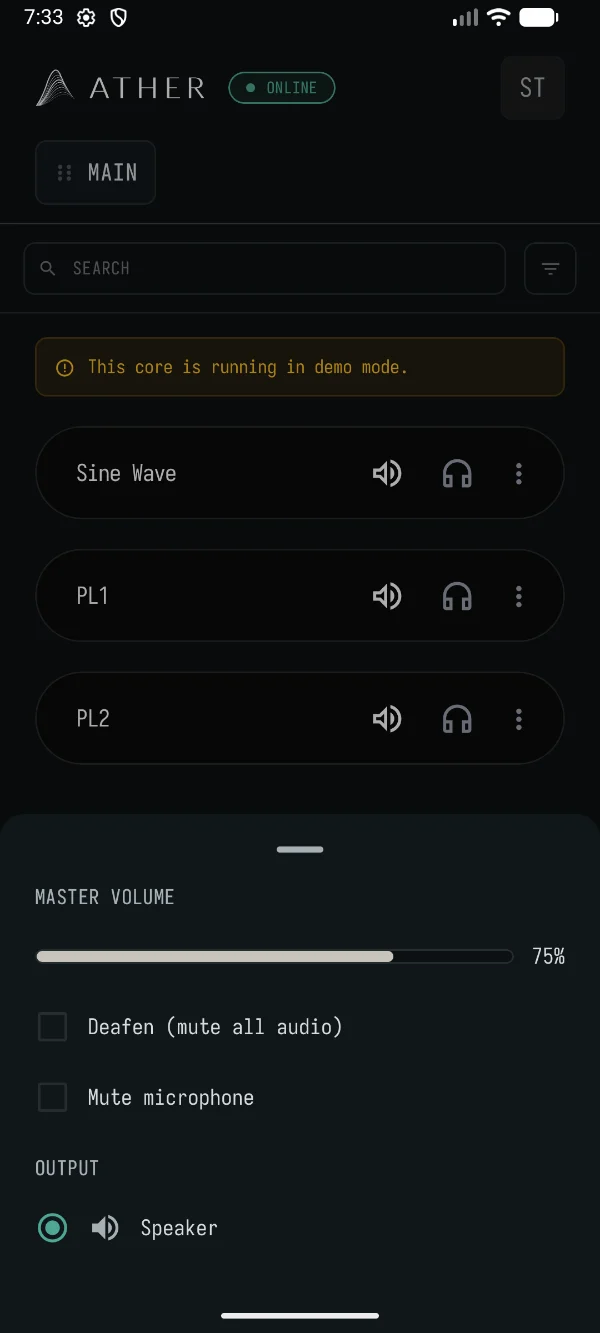
A volume for every line plus master volume, mute and deafen. Send audio to the speaker, earpiece, or a wired, Bluetooth or USB headset.

PTT

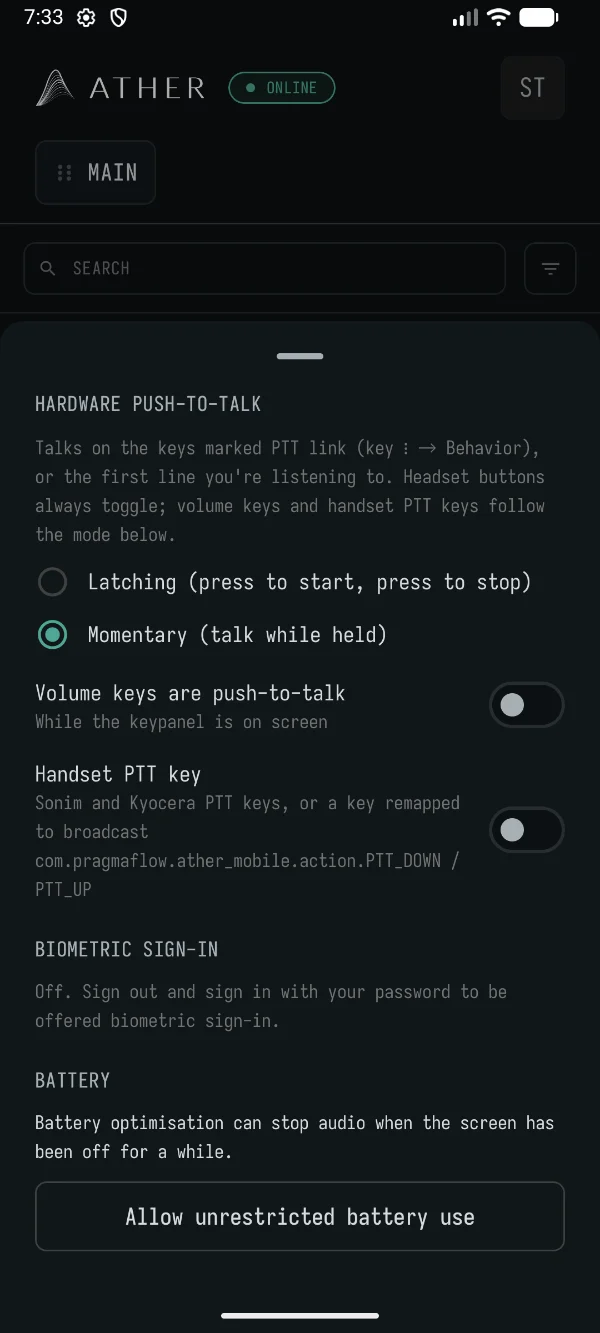
Hardware push-to-talk

Talk with a headset button, the volume keys, or the PTT key on rugged Sonim and Kyocera handsets - latching or momentary. Android.

Background

Keeps running in your pocket

Intercom keeps working with the screen locked. On Android, the notification has mute, stop-talk and disconnect buttons.

Courtesy

Leaves your music alone

Ather Talk only takes over the phone's audio while a line is active, so opening the app doesn't stop whatever else is playing.

Roles

The right lines for each person

After signing in, people pick a role. The role decides which party lines they see - set up once in Ather Admin.

Security

Secure, fast sign-in

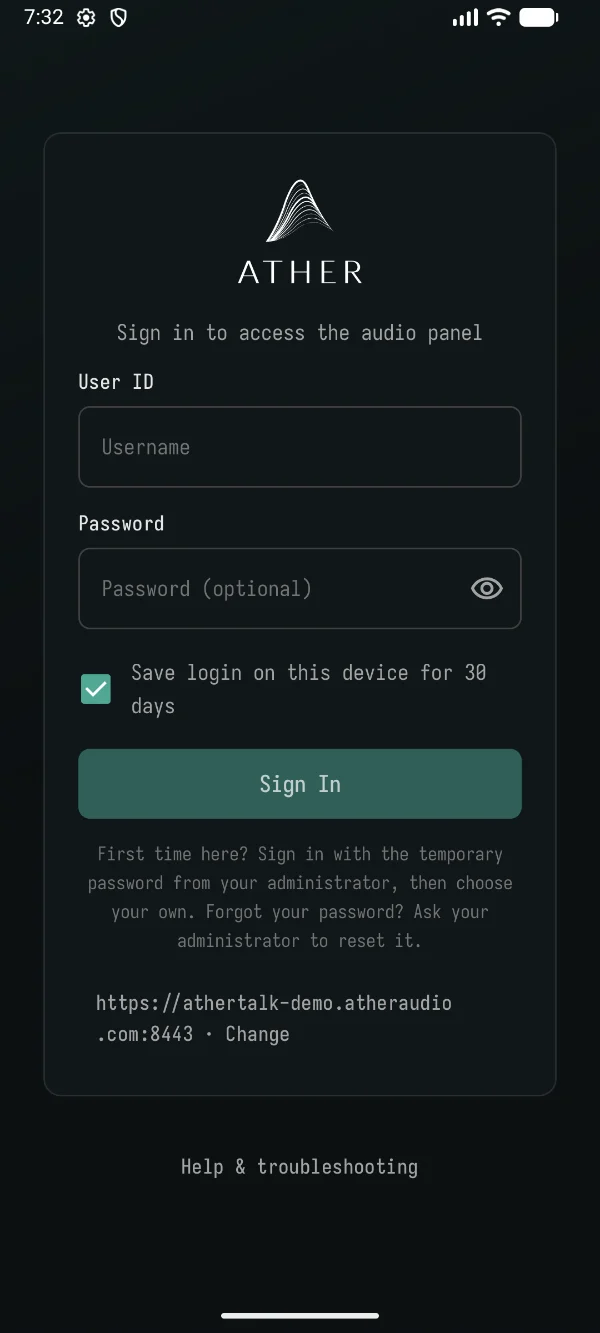
Face ID, Touch ID or fingerprint sign-in, an optional 30-day saved login, and certificate pinning for self-signed cores.

Network

Gets through firewalls

Low-latency WebRTC audio, with TURN over TLS on port 443 for locked-down networks. If something is blocked, the app names the port.


Screens

Simple on purpose

Big keys, clear states and settings where you expect them. Screens shown from a core in demo mode.

Ather Talk - Sign in
Sign in
Ather Talk - Per-line volume
Per-line volume
Ather Talk - Hardware PTT
Hardware PTT
Ather Talk - Output and mute
Output and mute
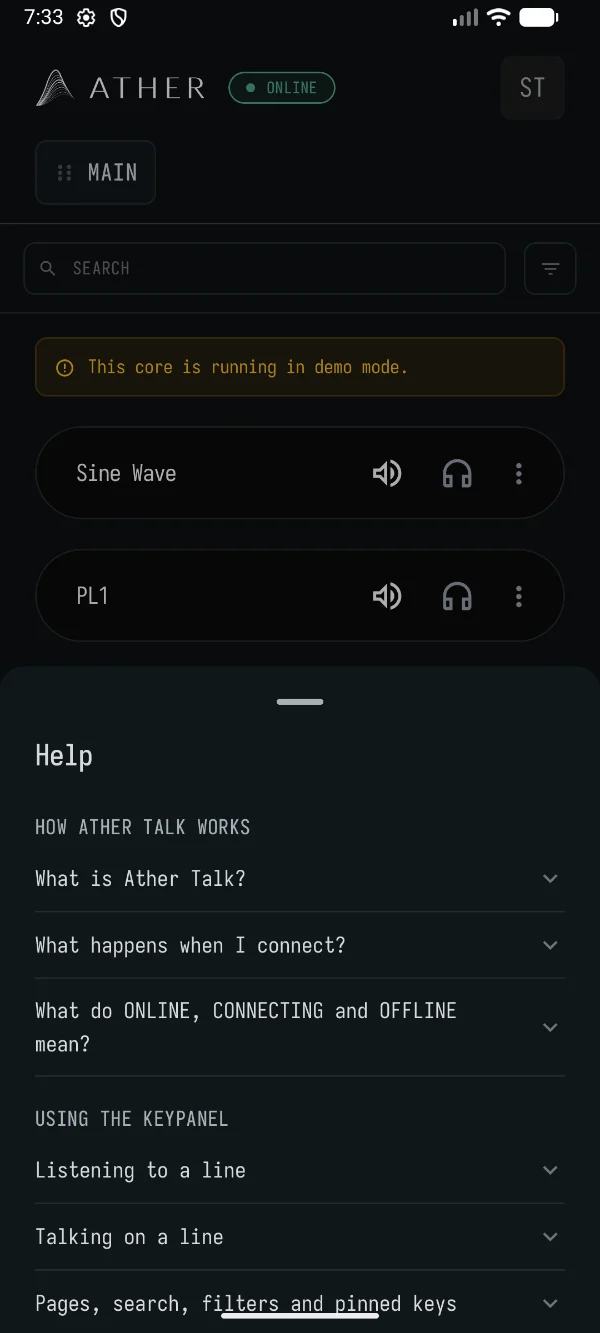
Ather Talk - Built-in help
Built-in help
How it works

On the line in under a minute

  1. Connect to your core

    Enter your Ather Core's address once and the app remembers it. Self-signed certificates are checked by fingerprint before you trust them.

  2. Sign in and pick a role

    Use the account your administrator created in Ather Admin. Your role decides which party lines appear.

  3. Listen and talk

    Join, then tap to listen and tap or hold to talk. Pocket the phone - audio keeps running.

For administrators

Managed from Ather Admin

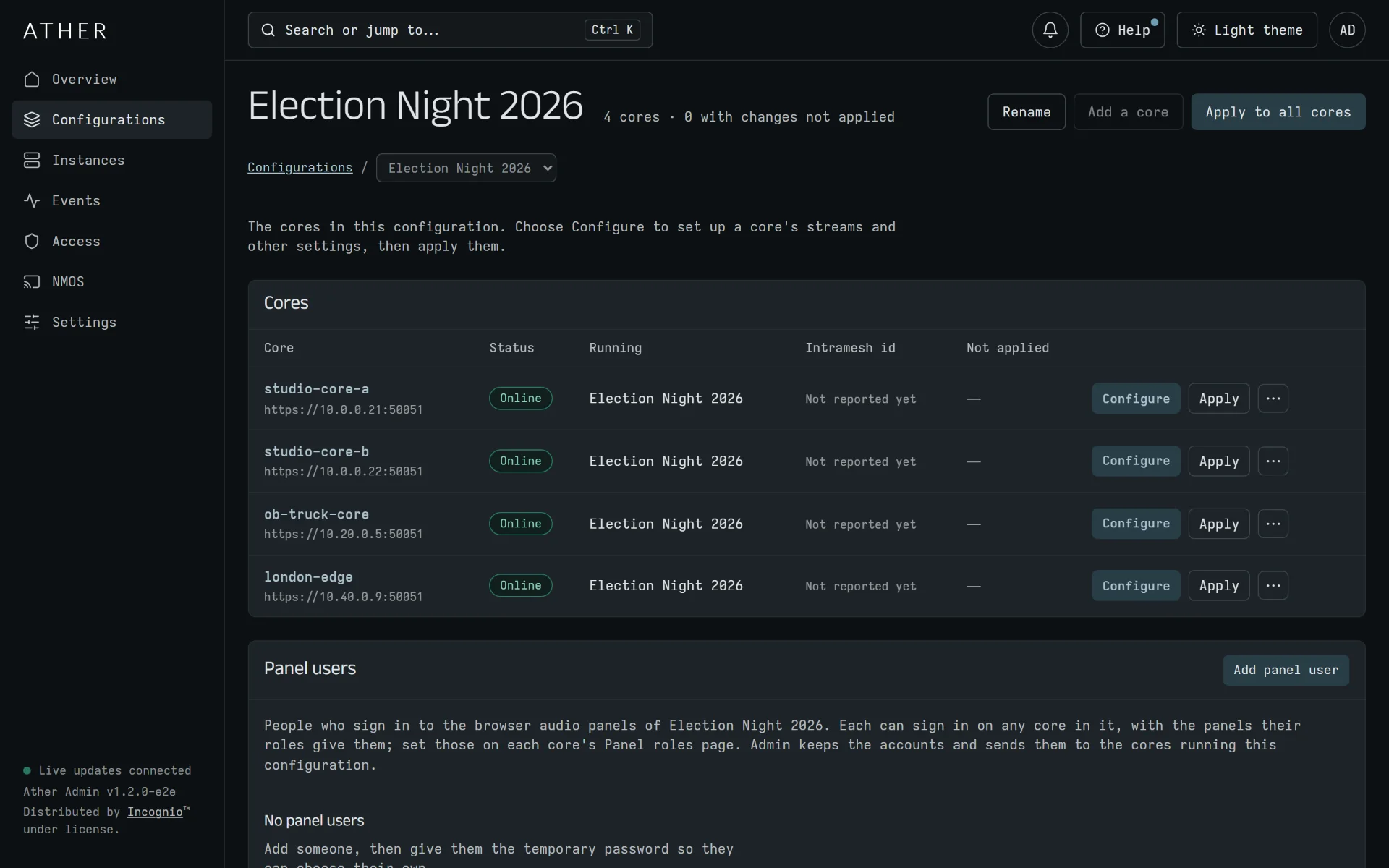
Ather Talk uses the same panel users, roles and party lines as the browser panel, so there's nothing new to set up.

  • Create panel users once per configuration. They can sign in on any core in it
  • Give people a temporary password and they choose their own on first sign-in
  • Built-in help and troubleshooting, including a section for administrators

Explore Ather Admin

Ather Admin configuration page listing its cores and panel users
Requirements

What you need

iPhone

iOS 16 or later. Background audio, Face ID or Touch ID, and the system audio route picker.

Android

Android 10 or later. Hardware PTT keys, fingerprint or face sign-in, and a notification with call controls.

Ather Core

A core reachable over HTTPS, with UDP open for audio - or TURN over TLS on port 443 where UDP is blocked.

Download

Put intercom in your crew's pocket

Ather Talk is on the App Store and Google Play. Sign in with the panel user your administrator gives you.

Get it on Google PlayDownload on the App Store